Sizeguide
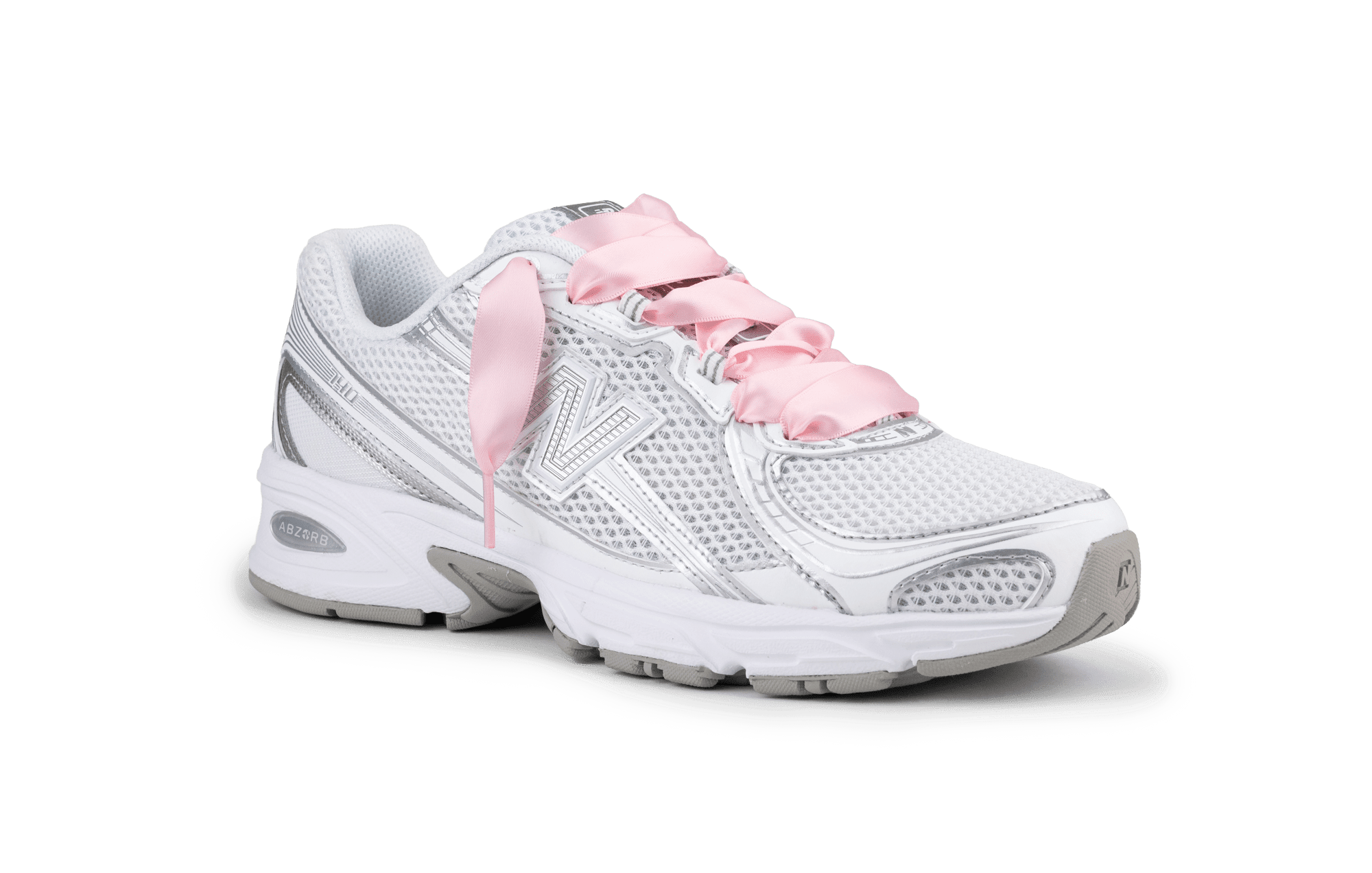
Silky Ribbon Laces
Ursprünglicher Preis war: 11,99 €9,99 €Aktueller Preis ist: 9,99 €.
inkl. MwSt.
Breite, seidige Schnürsenkel für Sneaker – für Air Force 1, Jordan, Adidas und mehr. Die Silky Ribbon Laces bringen Glanz und Stil an deine Füße.
Auf Lager
Unsicher, welche Schnürsenkellänge die richtige ist?
Wir finden die perfekte Länge für dich!
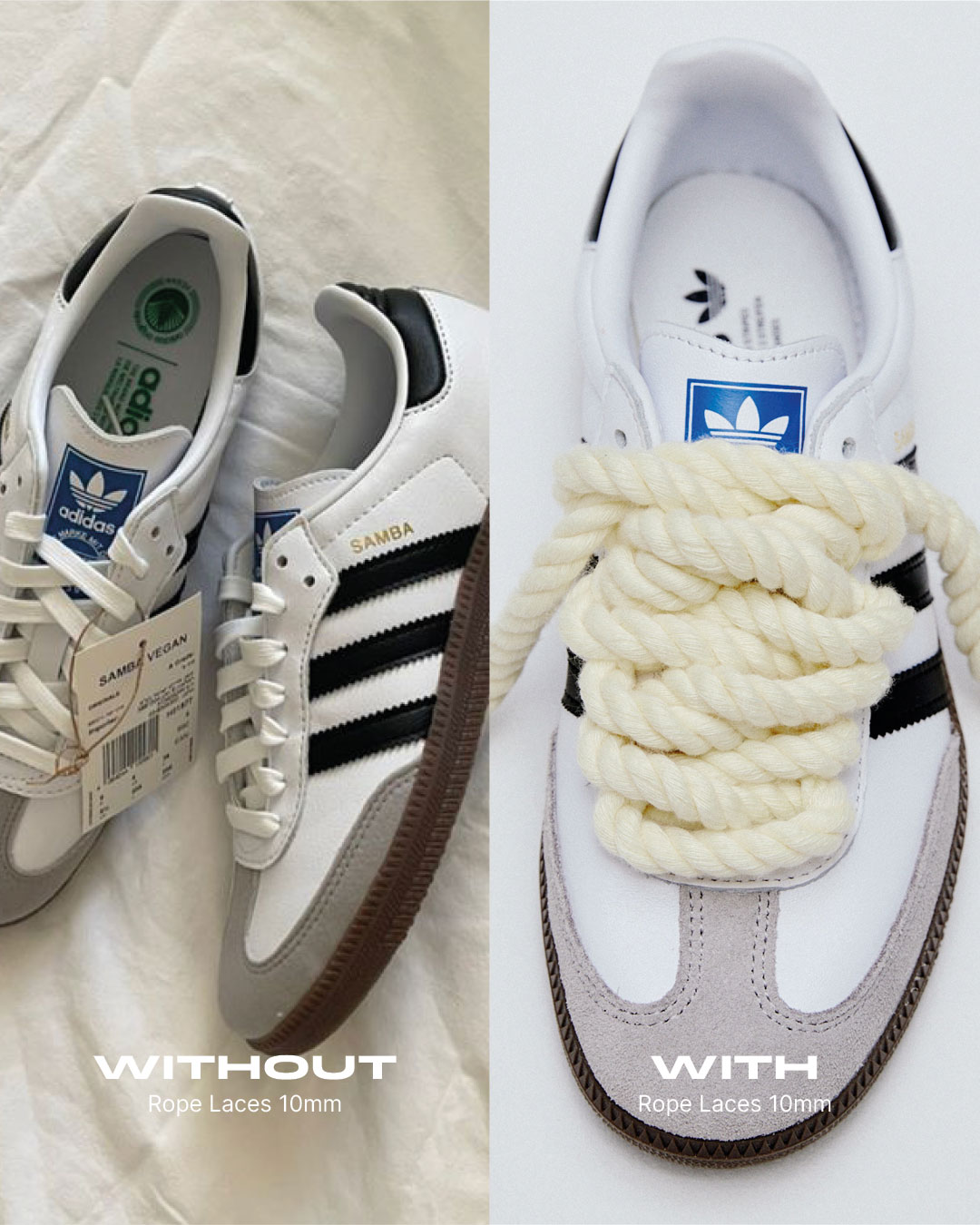
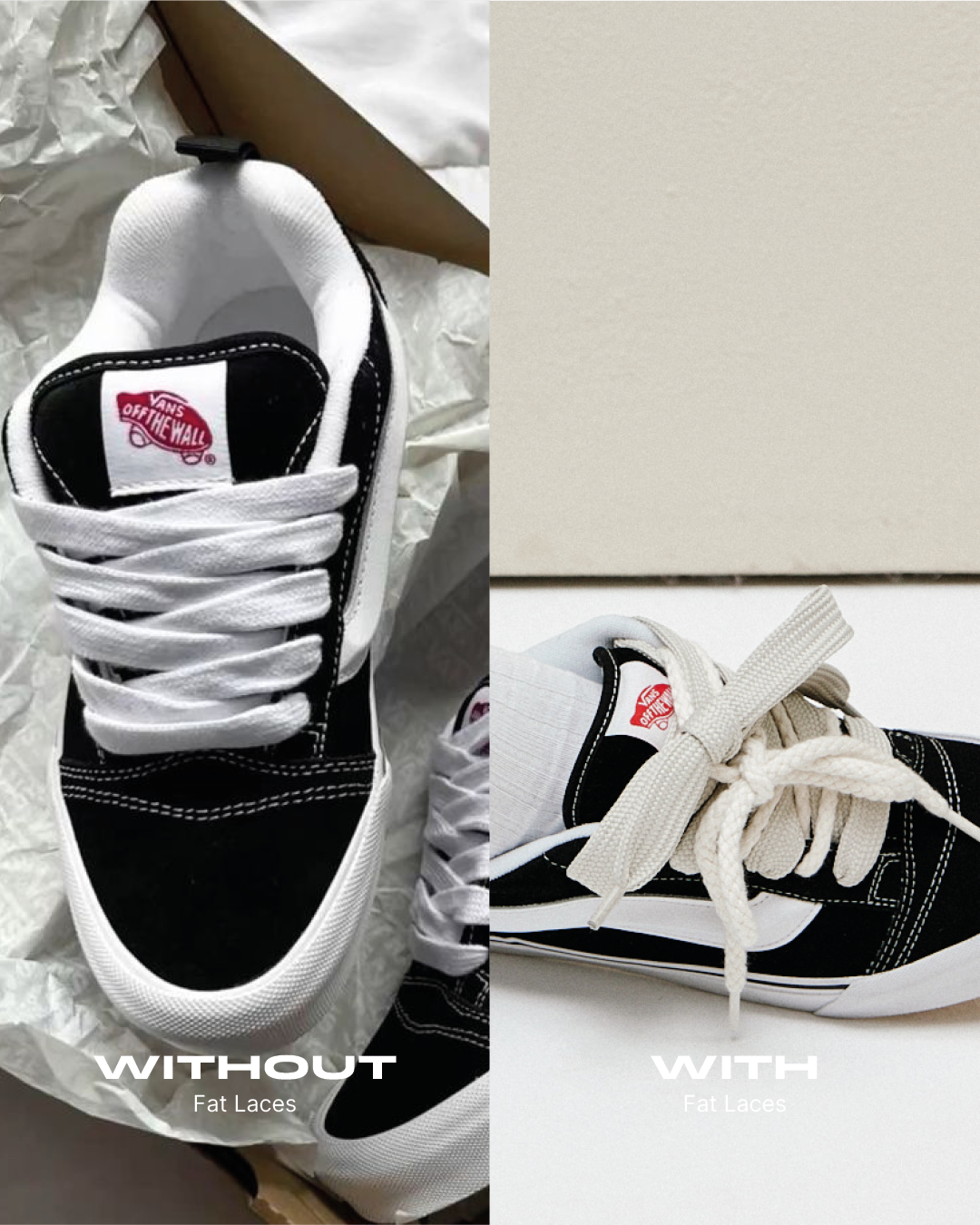
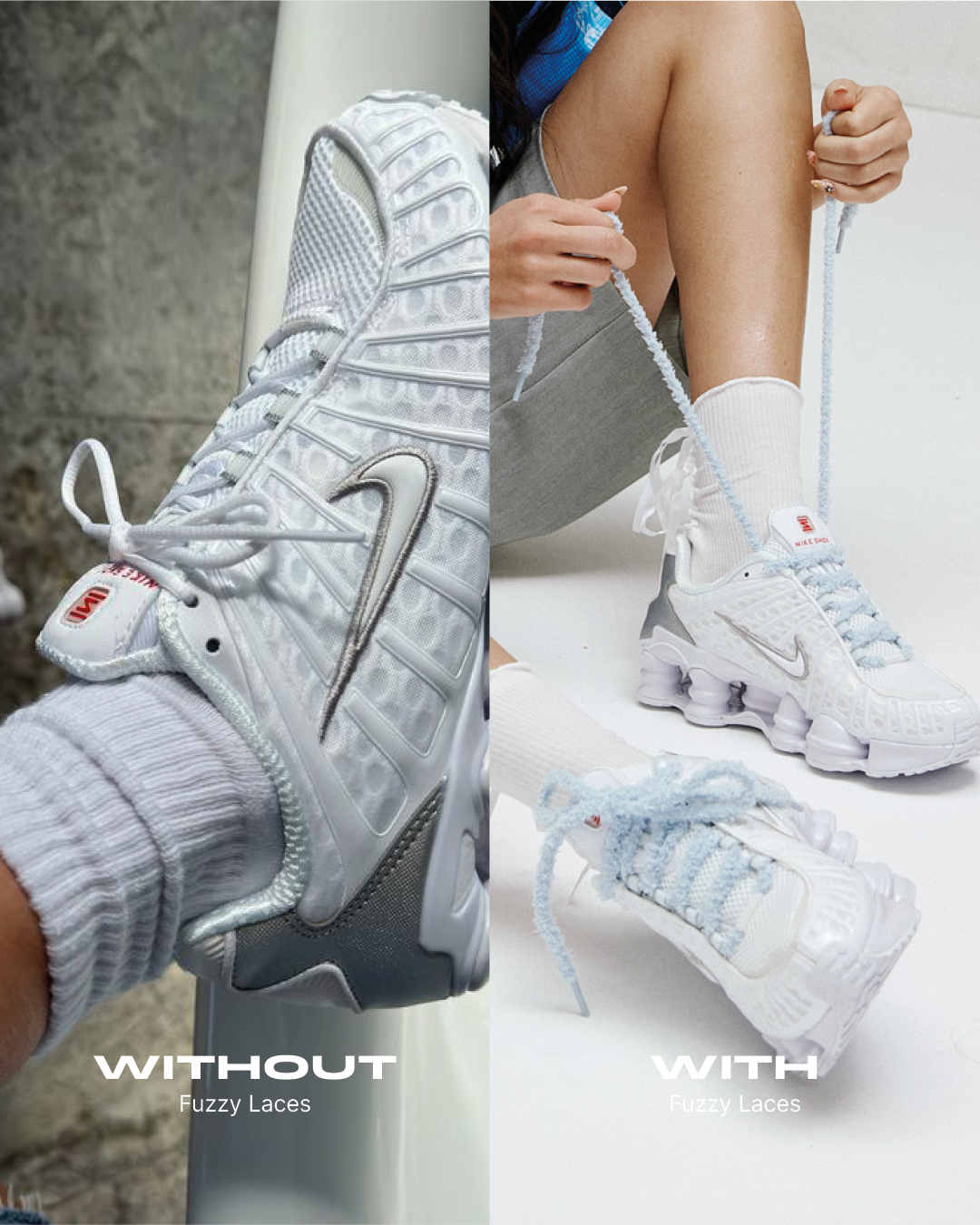
Before & after
Tutorial
Weitere Laces
Alle ansehen
Silky Ribbon Laces
Mehr Farben und Längen
Ursprünglicher Preis war: 11,99 €9,99 €Aktueller Preis ist: 9,99 €.
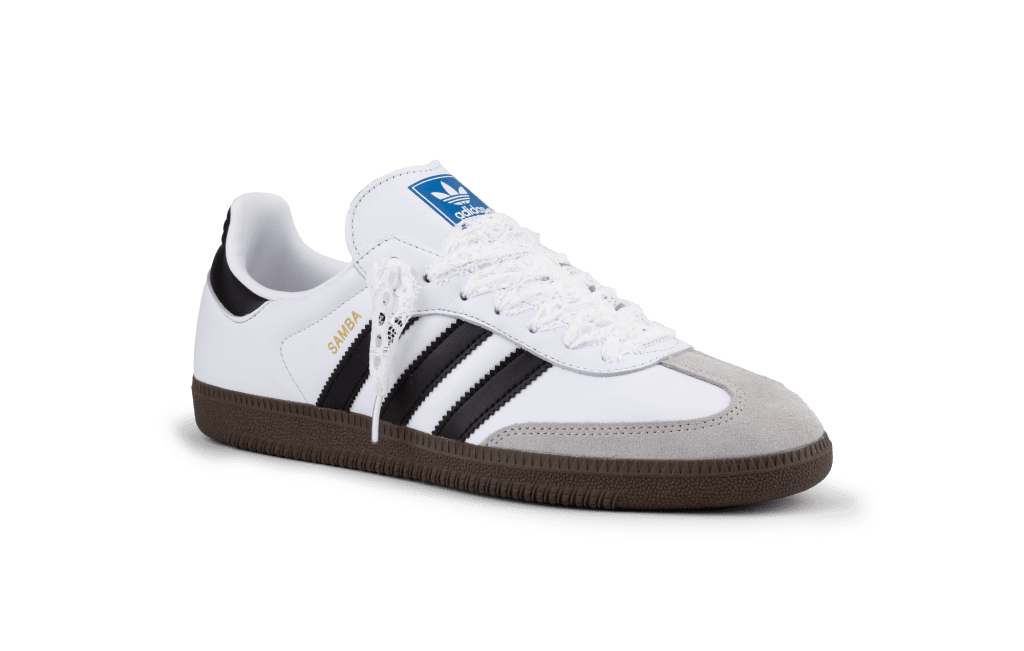
Crochet Laces
Mehr Farben und Längen
Ursprünglicher Preis war: 11,99 €9,99 €Aktueller Preis ist: 9,99 €.
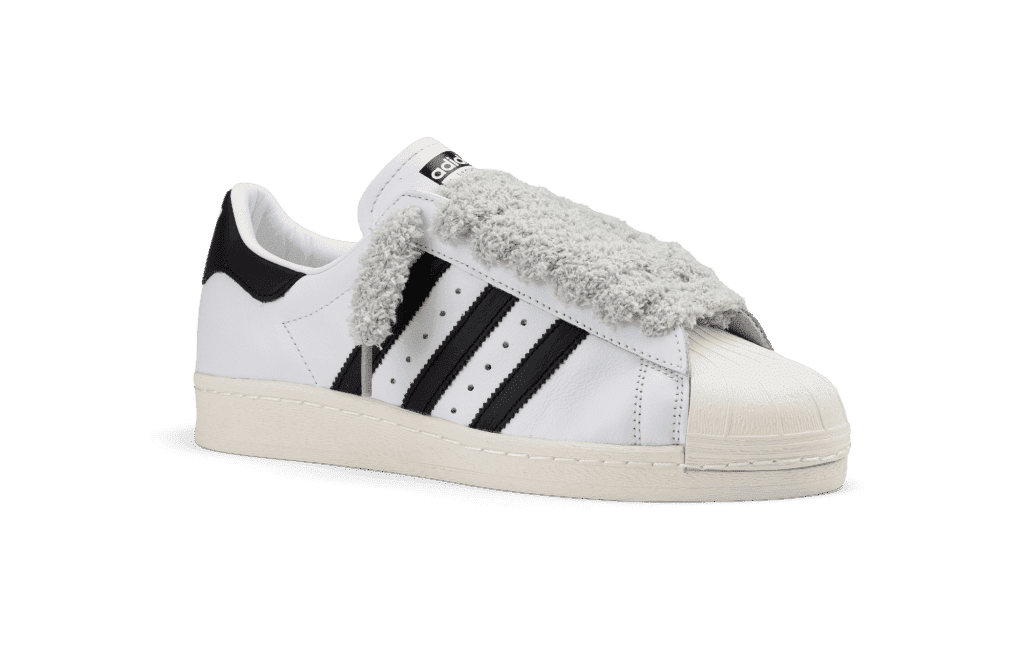
Laces Sizeguide
Wenn du deine Schnürsenkel offen stylen möchtest, kannst du dich an folgendem Size-Guide orientieren:
| Länge | EU Größe | UK Größe |
| 100cm | 36 – 40 | 3.5 – 6.5 |
| 120cm | 41 – 45 | 7 – 10.5 |
| 140cm | 46 + | 11 + |
Beachte:
Wenn du die Laces zu einer Schleife binden möchtest oder dein Schuh mehr Ösen aufweist, wie High-Top Sneaker oder Boots, dann upgrade um eine Länge.
Produktdetails
Diese Breiten seidigen Schnürsenkel bringen Stil, Glanz und Charakter an deine Sneaker. Das glänzende Satinband fühlt sich weich an und verleiht deinem Look ein elegantes Finish.
Ob Nike Air Force 1, Jordan 1, Adidas Samba, Campus oder Gazelle – unsere Silky Ribbon Laces passen zu sportlichen wie zu edlen Styles.
Du willst auffallen, ohne zu schreien? Diese **Fashion Laces** setzen ein klares Statement: feminin, kreativ und individuell.
Das Band ist robust, langlebig und leicht einzufädeln. Ob locker gebunden oder als Schleife: Ribbon Laces machen aus jedem Schuh ein Highlight.
Mach deinen Sneaker zum Statement. Mit BAGGY – für stylische, seidige Schnürsenkel, die deinen Look vollenden.
Lieferumfang
Du erhältst alles was du für ein paar Sneaker brauchst: Laces für den linken und den rechten Sneaker.
Bitte beachte, dass die abgebildeten Sneaker nicht im Lieferumfang enthalten sind.
Weitere Fragen?
Füge deinen Off-Canvas-Inhalt hier ein
Versand und Rückversand
- Versand 2-4 Werktage 2,99€ – National
- Versand 4-7 Werktage 5,99€ – International
Weitere Fragen?
Material & Pflegehinweise
Material: 100% Polyester – besonders reißfest und formstabil.
Pflege: Handwäsche mit einem weichen Tuch und lauwarmem Wasser reinigen. Lufttrocknen lassen.
Weitere Fragen?
[data-attribute_name="attribute_color"] .button-variable-item span{
  display:none
}

.length-custom-text{display:none}


[data-attribute_name="attribute_color"] li {
  width: 80px !important;
  height: 80px !important;
  border-radius: 10px !important;
  border: solid 0px white !important;
  background:#F6F6F6 !important;
  margin-right:5px !important;
}

[data-attribute_name="attribute_color"] li.selected {
  border: solid 0px black !important;
  background:#F6F6F6 !important;
}


#ohowwx img{
  width:90px
}
[data-wvstooltip]:hover:before,
[data-wvstooltip]:hover:after{
  display:none
}
ul[data-attribute_name="attribute_color"] li{
  position:relative;
}

ul[data-attribute_name="attribute_color"] a{
  position:absolute;
  top:0;
  left:0;
  width:100%;
  height:100%;
  z-index:10
}
// IMG LIGHTBOX REMOVE LINKS HREFS
document.addEventListener('DOMContentLoaded', function() {
// Select all anchor elements inside .woocommerce-product-gallery__image divs
document.querySelectorAll('.woocommerce-product-gallery__image a').forEach(anchor => {
// Remove the href attribute from the anchor tag
anchor.removeAttribute('href');
});
});
// IMG CLICKS IDS
document.addEventListener("DOMContentLoaded", function() {
// Handle images with spaces in their id attributes (run this immediately)
const images = document.querySelectorAll('img[id]');
// Iterate through each image element to normalize IDs first
images.forEach(function(img) {
// Get the id of the image
let imgId = img.getAttribute("id");
// Replace spaces with hyphens and normalize to lowercase
const validImageId = imgId.replace(/\s+/g, '-').toLowerCase();
// Set the new ID with hyphens to the image element (making it valid)
img.setAttribute("id", validImageId);
});
// Delay the execution of the image-related logic to ensure that IDs are replaced before looking for them
setTimeout(function() {
// Select all li elements inside ul with data-attribute_name="attribute_color"
const listItems = document.querySelectorAll('ul[data-attribute_name="attribute_color"] li');
// Iterate through each li element
listItems.forEach(function(li) {
// Get the value of the data-title attribute
let dataTitle = li.getAttribute("data-title");
// If data-title exists, proceed
if (dataTitle) {
// Normalize by replacing spaces with hyphens to create a valid ID selector for both li and image
const validId = dataTitle.replace(/\s+/g, '-').toLowerCase();
// Find the corresponding image by normalized ID (replace spaces with hyphens in the image id too)
const imgElement = document.querySelector(`img[id="${validId}"]`);
// If the image element exists, clone it inside the li
if (imgElement) {
// Clone the image element
const clonedImage = imgElement.cloneNode(true);
// Append the cloned image inside the li element
li.appendChild(clonedImage);
} else {
// Log an error if the image doesn't exist (for debugging purposes)
console.error(`No image found for ID: ${validId}`);
}
// Add a click event listener to scroll to the target element
li.addEventListener('click', function() {
// Find the element with the corresponding normalized ID
const targetElement = document.querySelector(`#${validId}`);
// If the element exists, scroll to it with an offset
if (targetElement) {
// Get the top position of the target element
const elementPosition = targetElement.getBoundingClientRect().top + window.scrollY;
// Scroll to the element's position minus 130px for the offset
window.scrollTo({
top: elementPosition - 130, // Adjust the scroll position by -130px
behavior: 'smooth' // Smooth scroll
});
}
});
}
});
}, 300); // Wait for 300ms before running the image insertion logic
});